

If you’re new to the iPhone and have recently switched from your old Android device, you will likely face difficulties that you haven’t encountered before. iOS works differently from Android, and many people have no idea How its system behavior works and How can you take benefit or harm from this?

Apple’s iOS designed for multitasking, its battery usage, and software updates and all of its functionality works differently as compared to Android. For example, many Android users are force-closing apps to save battery, but on an iPhone, doing this repeatedly can actually drain your battery faster.
Similarly, when we delete a video or photo from our iPhone storage, it is automatically deleted from iCloud as well unless we adjust a few important settings first.
Even delaying software updates—This can cause great damage to our iPhone, even creating performance issues and serious security bugs.
1: Force-Closing Apps — a dangerous habit:
Almost every iPhone user does this without thinking.
That you open an app, then do something on it, and then swipe it up, which can be very dangerous sometimes.
And when we do that, we feel like we’re doing something really cool with our mobile, like… maybe freeing RAM, reducing battery drain, or giving the system more relaxed space.
But in reality, it’s the opposite.
In fact, it is damaging our phone even more.
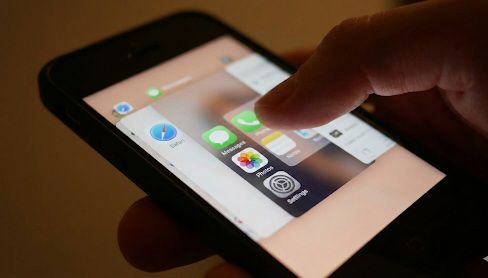
When you swipe an app away, you’re not simply cleaning up your screen — you’re actually forcing your iPhone to fully close that app.
So now it’s okay that we’ve closed an app, but
the next time you open it again just moments later because we forget something and we weren’t really done like scrolling Instagram than our iPhone has to load the whole app all over again Which caused the extra CPU usage, extra battery usage, and more strain than if you had just left the app running quietly in the background.
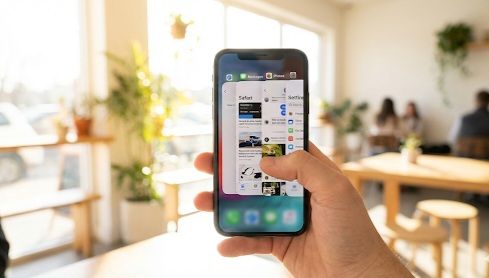
I would recommend that you only forcefully close an app on your iPhone if you are absolutely sure that you have finished your work. Otherwise, it’s okay to let it run in the background.
2. Using Low Power Mode All the Time

By the way, Low Power Mode is a very good choice if we think we want to save our iPhone’s battery consuming usage. But always keeping this function turned on can also be a big mistake.
Why?
1: Because Low Power Mode limits important system functions:
2: Slows down performance
3: Reduces screen brightness
4: Stops background syncing
5:Delays email fetching
6: Disables some visual animations.
Because the iPhone is basically designed to perform very well without ultra-low brightness and run efficiently, but if we use it 24/7, it makes our experience feel slower and less smooth.
What to do instead:
Ultra Low Battery Mode should only be used when we urgently need to save battery.
3. Charging From 0% to 100% Every Time
Many people believe that you should always use your iPhone until its battery is completely drained but that’s not true for modern lithium-ion batteries.

We have to keep using the battery until it is completely drained, this has a very bad effect on the battery. The example of this is like using something to its maximum potential.
And gradually this greatly effects on the performance of our iphone mobile battery.
Try to keep your battery between 20% and 80% most of the time.
And charging it to 100% every time is also dangerous, so I recommend you.

Keeping the battery between 20% and 80% will always be beneficial for your mobile and will maintain the long-lasting power performance of your mobile.
About the Author